
Quick Start Guide
-
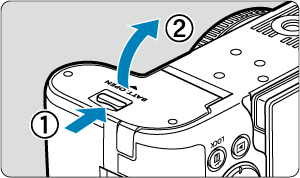
-
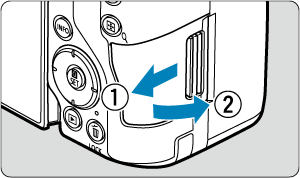
- With the card label facing you, insert the card into the card slot until it clicks into place.
-
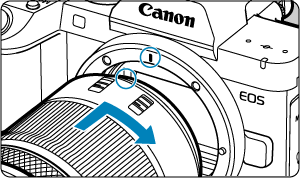
- Align the red mount index on the lens with the red mount index on the camera to attach the lens.
-
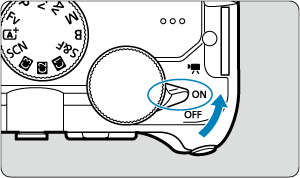
-
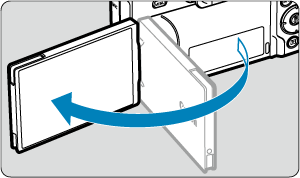
- When the language setting screen is displayed, see Language.
- When the password setting screen is displayed, see Setting a Password.
- When the date/time/zone setting screen is displayed, see Date/Time/Zone.
- After [Welcome] appears on the screen, follow the on-screen instructions to connect the camera to your smartphone ().
-
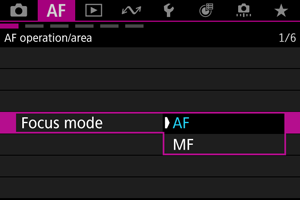
- Set [
 : Focus mode] to [AF].
 - When using lenses with a focus mode switch, set the switch to .
- Set [

Shooting still photos
-
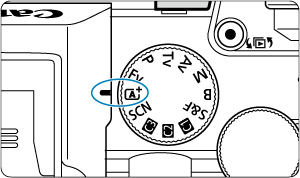
Set the Mode dial to
 .
.
-
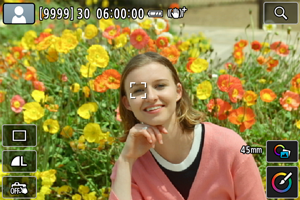
- An AF tracking frame [
 ] appears near eyes when a face is detected.
 - Press the shutter button halfway, and the camera will focus on the subject.
- An AF tracking frame [
-
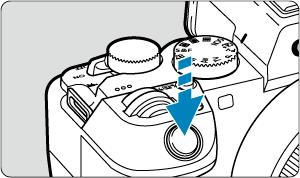
- Press the shutter button completely to take the picture.
-
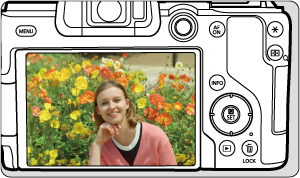
Review the picture.
Recording movies
-
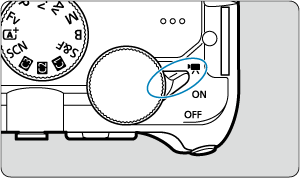
Set the power switch to
 .
.
-
Set the Mode dial to
. -
Focus on the subject.
-
Record the movie.
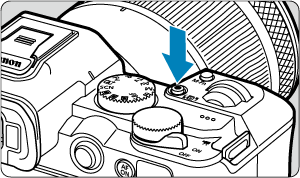
- Press the movie shooting button to start recording a movie. You can also start recording a movie by tapping [
 ] on the screen.
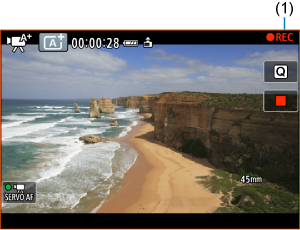
- [
 REC] (1) is displayed in the upper right while movie recording is in progress, and a red frame appears around the screen.
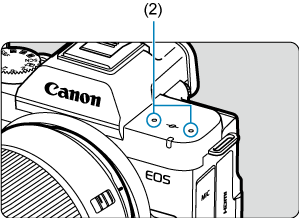
- Sound is recorded by the microphone (2).
- To stop recording the movie, press the movie shooting button again. You can also stop recording a movie by tapping [
 ] on the screen.
- Press the movie shooting button to start recording a movie. You can also start recording a movie by tapping [
-
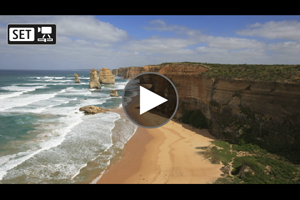
- Press the
 button.
 - Press
 twice.
- Press the