
Handheld Night Scene
For handheld night shooting without a tripod or similar equipment. Choose a night scene option to create your preferred mood.
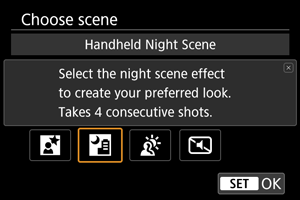
 Shooting tips
-
Hold the camera steady.
Keep your elbows close to your body to hold the camera steady (). In this mode, four shots are aligned and merged into a single image, but if there is significant misalignment in any of the four shots due to camera shake, they may not align properly in the final image.
Caution
- The image area is smaller than in other shooting modes.
- RAW image quality cannot be set.
- Flash photography is not available.
- Autofocusing at night or in dark scenes may be difficult when points of light lie within the AF point. In this case, set the focus mode to MF () and focus manually.
- Shooting moving subjects may result in afterimages from the movement, or darkness around the subject.
- Images may not be aligned correctly if they are patterned (with a lattice or stripes, for example), are generally flat and uniform, or are greatly out of alignment due to camera shake or other issues.
- It takes some time to record images to the card since they are merged after shooting. [BUSY] appears on the screen as images are processed, and shooting is not possible until processing is finished.
- Shots will look slightly different from the preview image shown on the screen.
Shooting with Night Scene Effects Applied
You can apply a different color tone in night scene shooting.
-
Tap [
 ] on the screen.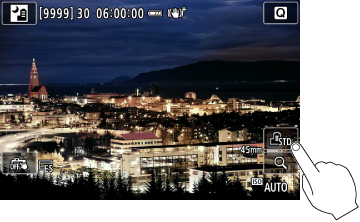
-
Select a night scene option.
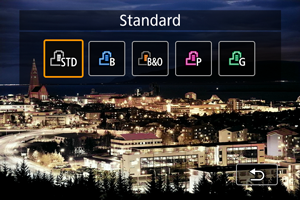
-
Take the picture.
| Name | Effect | Recommended Scenes |
|---|---|---|
| Standard |
Standard image processing. Dark areas are brightened, revealing typical night scenes. | Most night scenes in general |
 Blue Blue |
Increases contrast and shifts midtones toward blue. Creates a cold, cool ambiance. |
City night scenes |
 Black&Orange Black&Orange |
Greatly increases contrast, shifts dark areas toward black, and applies a slight cyan tone. Orange tones are emphasized. Makes blacks more substantial, creating subdued, high-contrast scenes. |
|
 Pink Pink |
Increases contrast slightly and shifts midtones toward pink and shadows toward cyan. Creates a flashy, sci-fi ambiance. |
Lively downtown areas, streets under neon lights |
 Green Green |
Increases contrast and shifts midtones toward green. Creates a dreamy, mechanical ambiance. |
Industrial night scenes |
Caution
- Image gradation may be uneven.
- Noise or dots of light may appear in images.