Preparation and Basic Operations
- Inserting Batteries in the Remote Controller
- Checking Battery
- Connecting the Remote Controller to a Camera
- Turning On the Remote Controller
- Setting the Time
- Activating Illumination
- Locking the Remote Controller
Inserting Batteries in the Remote Controller
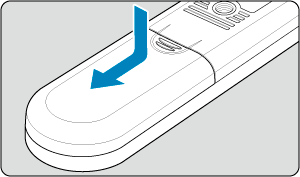
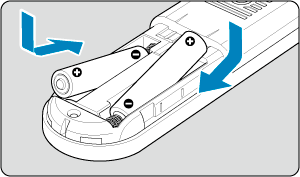
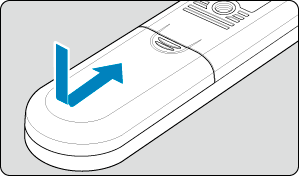
The remote controller uses two batteries. You can use LR03/AAA alkaline batteries or HR03/AAA NiMH batteries.
Checking Battery
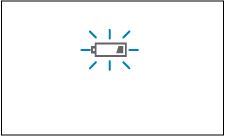
When the [ ] battery-low icon appears, replace the batteries with new ones.
Connecting the Remote Controller to a Camera
-
On the camera, open the terminal cover.
- For details, refer to the camera instruction manual.
-
Connect the plug to the camera remote control terminal.
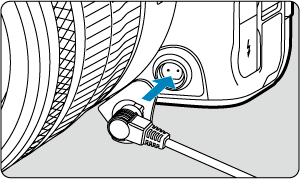
TC-N3
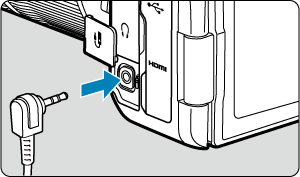
TC-E3
Caution
- To disconnect the TC-N3 plug, hold the silver part of the plug and pull it out.
Turning On the Remote Controller
Press and hold the  /
 button for 3 sec. to turn the remote controller on.
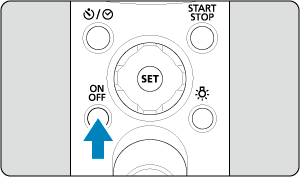
- To turn the remote controller off, press and hold the / button for 3 sec.
Setting the Time
Set the current time on the remote controller.
-
Select time display.
- Press the
 /
 button and select the [] time icon.
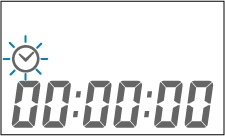
- Press the
-
Press and hold
 for 3 sec.
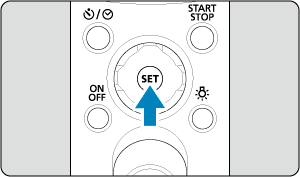
- The time display starts blinking.
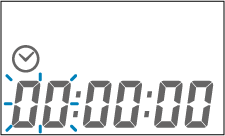
-
Set the time.
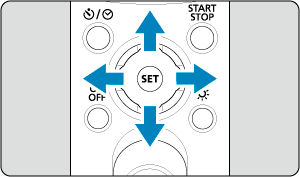
- Press
 or
 to select hours, minutes, or seconds.
- Press
 or
 to change the number.
- Press
-
Exit the setting.
- Press .
- Press
Note
- If no operation is performed within 5 min., this setting is closed and no time is set.
Activating Illumination
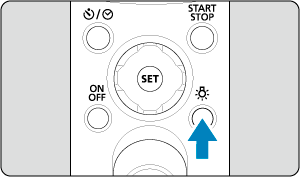
Each press of the  button switches illumination on or off.
Note
- If no operation is performed within approx. 6 sec. after illumination is activated, illumination is deactivated.
Locking the Remote Controller
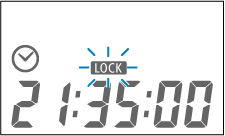
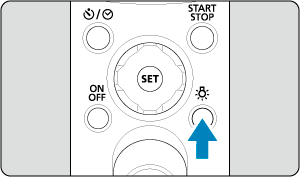
Press and hold the button for 3 sec. to lock the remote controller. While it is locked, input other than the button has no effect.
To unlock the remote controller, press and hold the button again for 3 sec.
Caution
- The release button is not locked.
- The [
 ] setting lock indicator is displayed while the remote controller is locked, and the remote controller continues to display the status before locking.