
HDR Backlight Control
Use [ ] (
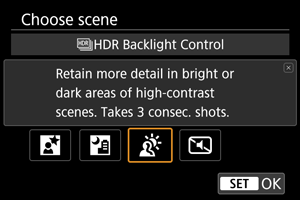
] ( HDR Backlight Control) for backlit scenes with both bright and dark areas. Shooting once in this mode captures three consecutive images at different exposures, which are combined to create a single HDR image that retains detail in shadows that might otherwise be lost from backlighting.
HDR stands for High Dynamic Range.
 Shooting tips
-
Hold the camera steady.
Keep your elbows close to your body to hold the camera steady (). In this mode, three shots are aligned and merged into a single image. However, if there is significant misalignment in any of the three shots due to camera shake, they may not align properly in the final image.
Caution
- The image area is smaller than in other shooting modes.
- RAW image quality cannot be set.
- Flash photography is not available.
- The image may not be rendered with a smooth gradation and may look irregular or have significant noise.
- HDR Backlight Control may not be effective for excessively backlit scenes or extremely high-contrast scenes.
- When shooting subjects that are sufficiently bright as they are, for example for normally lit scenes, the image may look unnatural due to the HDR effect.
- Shooting moving subjects may result in afterimages from the movement, or darkness around the subject.
- The image alignment may not function properly with repetitive patterns (lattice, stripes, etc.), flat or single-tone images, or images significantly misaligned due to camera shake.
- It takes some time to record images to the card since they are merged after shooting. [BUSY] appears on the screen as images are processed, and shooting is not possible until processing is finished.