
Self-Timer Shooting
Configuring Self-Timer Shooting
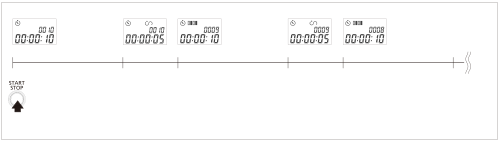
The camera shoots as shown in the following figure.
Shooting begins after the time set for the self-timer elapses. The camera shoots as many times as your specified shot count.
For this type of shooting, set the self-timer ( ), interval timer (
 ), long-exposure timer (
 ) and shot count (
 ).
-
Select self-timer shooting.
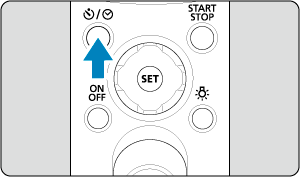
- Press the /
 button and select the [] self-timer icon.
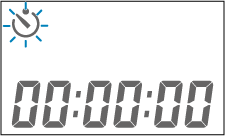
- Press the
-
Configure the self-timer.
- Press
 and set the amount of time.
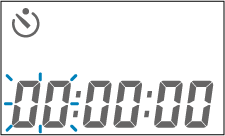
- Press
 or
 to select hours, minutes, or seconds.
- Press
 or
 to change the number.
- When finished, press .
Caution
- Pressing and together resets the setting.
- If you are using autofocus, note that making the amount of time too short may not give the camera enough time to focus.
- Press
-
Configure the interval timer.
- Press and select the [] interval timer icon.
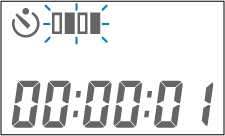
- Press and set the amount of time.
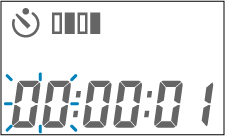
- Press or to select hours, minutes, or seconds.
- Press or to change the number.
- When finished, press .
Note
- Interval timer time is the time between the end of one exposure and the start of the next.
- The interval between shots is a combination of the time set for the interval timer and the time set for the long-exposure timer.
- Press
-
Configure the long-exposure timer.
- Press and select the [] long-exposure timer icon.
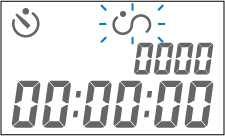
- Press and set the amount of time.
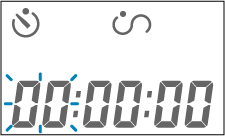
- Press or to select hours, minutes, or seconds.
- Press or to change the number.
- When finished, press .
Caution
- Exposure time settings apply when the camera is set to long (bulb) exposures. In other shooting modes, the camera shoots at your specified shutter speed. To shoot at the shutter speed set on the camera, set the exposure timer to [00:00:00].
- Press
-
Set the shot count.
- Press and select the [] shot count icon.
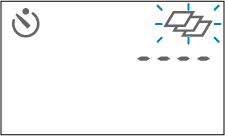
- Press and set the number of shots.
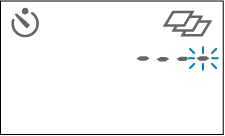
- Press or to switch digits.
- Press or to change the number.
- When finished, press .
Caution
- Set to [----] for an unlimited shot count.
- Press
Operation During Shooting
Operation during shooting is as follows.
Examples of camera and remote controller settings are listed below.
|
-
Press the
/ button and select the [] self-timer icon.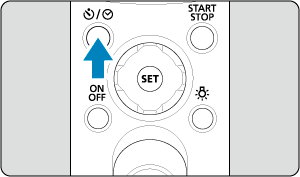
-
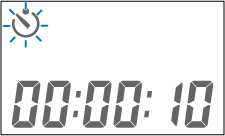
Press the
 /
 button.
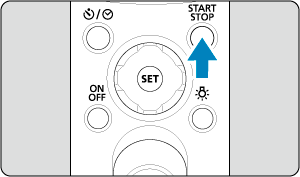
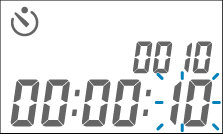
-
blinks as the configured self-timer time starts counting down. The shutter opens after the configured time elapses.
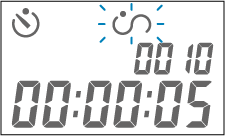
-
blinks as the configured long-exposure timer time starts counting down. The shutter closes after the configured time elapses.
-
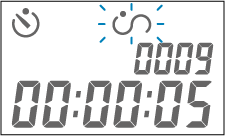
The shot count is reduced by one, and
blinks as the configured interval timer time starts counting down. The shutter opens after the configured time elapses.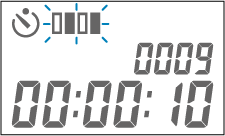
-
blinks again as the configured long-exposure timer time starts counting down. The shutter closes after the configured time elapses.
-
After this, the interval timer and long-exposure timer are activated repeatedly until the shot count reaches 0.