Movie Playback

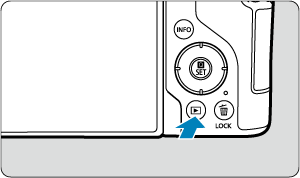
  1. Switch to playback.

    • Press the Playback button.
  2. Select a movie.

    • Turn the Quick control dial dial to select a movie to play.
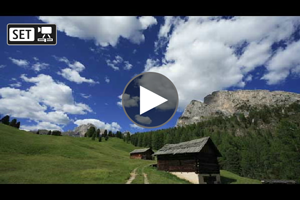
    • In single-image display, the [SET buttonMovie files] icon displayed in the upper left of the screen indicates a movie.

    • In index display, perforations at the left edge of a thumbnail indicate a movie. Movies cannot be played back from index display, so press Quick Control/Set to switch to single-image display.
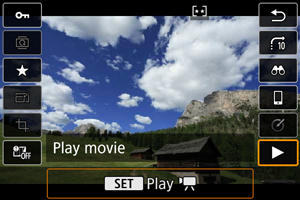
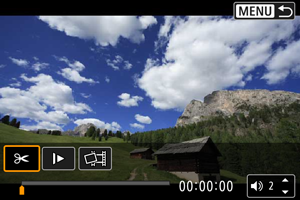
  3. In the single-image display, press Quick Control/Set.

  4. Select [Play movie].

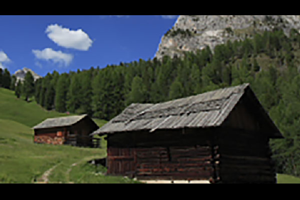
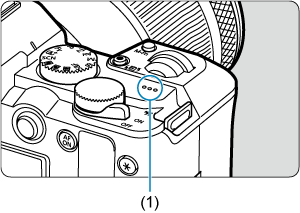
    • The movie will start playing back. Sound is played through the speaker (1).
    • You can pause playback and display the movie playback panel by pressing Quick Control/Set. Press it again to resume playback.
    • Press the Up buttonDown button keys to adjust the volume (even during playback).

Movie playback panel
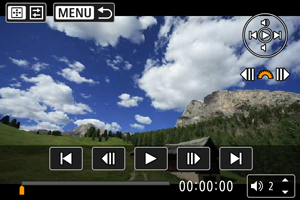
Item Playback Operations
Skip backward Skips backward approx. 1 sec. each time you press the Left button key. Holding the Left button key down will rewind the movie.
Previous frame Displays the previous frame each time you turn the Main dial dial left.
Play Pressing Quick Control/Set toggles between playback and stop.
Next frame Displays the next frame each time you turn the Main dial dial right.
Skip forward Skips forward approx. 1 sec. each time you press the Right button key. Holding the Right button key down will fast forward the movie.
Playback position
hh:mm:ss Playback time (hours:minutes:seconds, when [Movie play count] is set to [Rec time])

hh:mm:ss.ff (DF)

hh:mm:ss:ff (NDF)

Time code (hours:minutes:seconds:frames, when [Movie play count] is set to [Time code])
Volume Press the Up buttonDown button keys to adjust the speaker volume ().
Press the AF point selection button to go to the next screen ().
Return Press the MENU button to return to single-image display.

Controls not on the previous screen are as follows.

Item Playback Operations
Edit Displays the editing screen ().
Slow motion Adjust the slow motion speed by turning the Quick control dial dial. The slow motion speed is indicated in the upper right of the screen.
Frame Grab Available when you play 4K movies. Enables you to extract the current frame and save it as a JPEG or HEIF still image ().
Return Press the MENU button to return to the previous screen.

Caution

  • Adjust the volume using television controls when the camera is connected to a television for movie playback (), because volume cannot be adjusted by pressing Multi-controller up or down.
  • Movie playback may stop if the card's read speed is too slow or movie files have corrupted frames.