
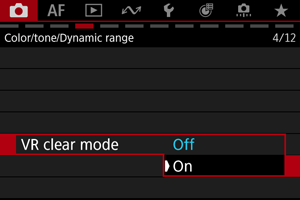
VR Clear Mode
Image quality when shooting or recording with VR lenses can be adjusted for a better VR viewing experience.
- Adjusts sharpness, making outlines thinner and objects look more natural
- Adjusts gradation, for better visibility of dark areas
- Adjust dynamic range, to reduce loss of detail in highlights
 :
: 
Caution
- Enabling VR clear mode prevents you from shooting in RAW format.