
Camera link function
Tap [Camera Linkage] on the main screen ().
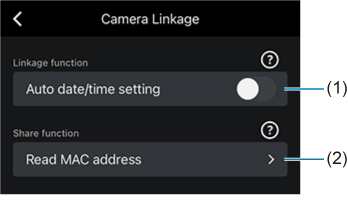
- Turn this on to apply the date and time of the smartphone to the camera.
-
When using EOS R1, EOS R5 Mark II, EOS R6 Mark III, or EOS C50 (photo mode), read the MAC address of the camera with the following procedure.
-
Display the QR code of the MAC address on the camera monitor.
-
Tap (2) and read the QR code.
-