
Exposure Lock (AE Lock)
To keep shooting at the same exposure, such as when you will set the focus and exposure separately, you can press the  button for AE lock. It is effective for shooting backlit subjects, etc.
-
Focus on the subject.
- Press the shutter button halfway.
- The exposure value will be displayed.
-
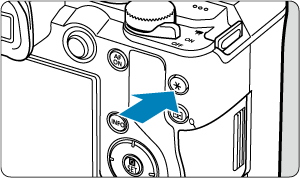
Press the
button ( ).
).
- A [] icon is displayed in the lower left of the screen to indicate that exposure is locked (AE lock).
- Each time you press the button, the current exposure setting is locked.
- A [
-
Recompose the shot and shoot.
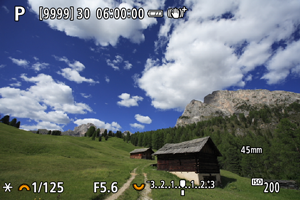
- To keep the exposure locked as you shoot or record, continue holding down the button as you press the shutter button.
- To keep the exposure locked as you shoot or record, continue holding down the
Note
- AE lock is not possible with bulb exposures.
Effect of AE Lock
| Metering Mode | AF Point Selection | |
|---|---|---|
| Automatic Selection | Manual Selection | |
 |
Exposure centered on the AF point in focus is locked. | Exposure centered on the selected AF point is locked. |
   |
Center-weighted exposure is locked. | |
When [] is set with the lens's focus mode switch set to  , center-weighted exposure is locked.