
Cooling Fan Settings
You can use the cooling fan to release heat from inside the camera.
-
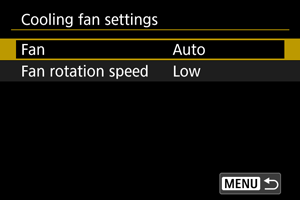
Select [Fan].
-
Auto
During streaming or movie recording, the fan remains on at the level set in [Fan rotation speed].
At other times, the speed automatically switches to [High] in response to higher internal temperature.
-
On
The fan remains on at the speed set in [Fan rotation speed].
-
Off
Keeps the fan off.
-
-
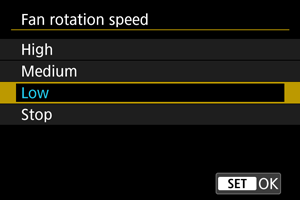
Select [Fan rotation speed].
-
The fan rotates according to the speed setting.
Higher speeds result in louder mechanical noise in recordings.
-
 :
: Caution
- Warm air is discharged from the exhaust vent while the cooling fan is on.
- Be careful not to cover the intake vent or the exhaust vent with your fingers or tape, etc.
- Battery life is shorter with [Fan rotation speed] set to [High] or [Medium].
- Fan noise may be audible in movies you record, under some shooting conditions. If so, using an external microphone positioned away from the fan may help reduce this noise.
- Changes in fan speed may be audible under some fan settings when you start recording after standby.
Note
- Hot shooting environments and similar conditions may keep the fan running, even if it is set to [Auto].