
Resetting the Camera
The camera's settings for shooting functions and menu functions can be restored to their defaults.
-
Select an option.
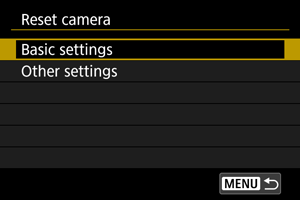
-
Basic settings
Restores default settings for camera shooting functions and menu settings.
-
Other settings
Settings for individual selected options can be reset.
-
-
Clear the settings.
-
Select [OK] on the confirmation screen.
-
Caution
The following functions are not restored to default settings.
- [
 : Time code]
 - [
 : Date/Time/Zone]
 - [: Language
 ]
] - [: Video system]
- [: File name]
- [: Manage password]
- [
Note
- Still photo Custom shooting modes are reset when [Custom shooting mode (C1-C3)] in [Other settings] is selected in still photo shooting mode, and movie Custom shooting modes are reset when this option is selected in movie recording mode.