
7-2 Usage Examples
Effective usage examples of [Register/recall AF-related settings]
This section shows how to use [Register/recall AF-related settings]. You can set the function for the subject or sport that you want to photograph and register it to instantly recall it for shooting. You can also save AF-related settings on the camera to and load them from a card.
Pre-shooting preparations
- With the applicable scene in view, change the camera to the settings you normally use. Or see "Chapter 6 Subjects and Recommended Settings by Scene" in the AF Setting Guide to set AF-related functions (basketball, soccer settings, etc.).
- Register settings in [Register/recall AF-related settings]
- Check the details, then change the name using [Name settings] in the registered SET.

Check the predetermined settings or AF Guide, then set the AF-related functions (basketball, soccer settings, etc.).

Register/Recall AF-related settings

Choose from SET1 to 6.

Tick the box of the function you want to register, then register it by choosing [OK].

You can change the SET name to anything you like.
Recalling and using registered functions
Choose a SET before shooting to switch to the registered AF-related function. You can also switch AF-related functions for each scene.


Soccer (football)

Basketball
Save registered functions to and load them from a card
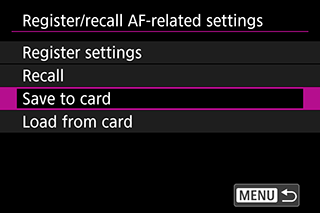
Register/recall, save to card/load from card screen
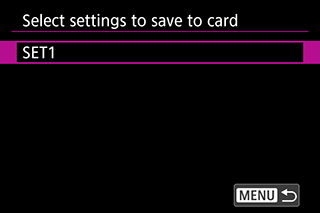
Save to card selection screen
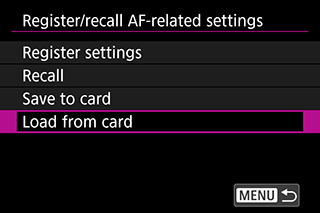
Register/recall, save to card/load from card screen
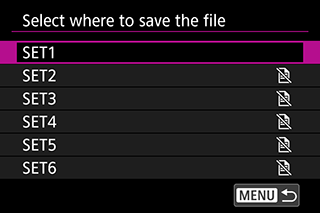
Select from [SET1] to [SET6] and save your preferred settings to a card.
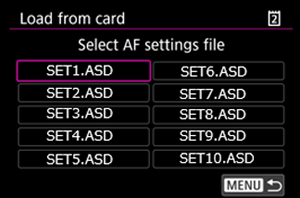
When AF-related settings are saved to a card, selecting one of the options above loads the applicable setting file.
You can save AF-related settings on the camera to and load them from a card.