
4-4 Usage Examples and Recommended Settings by Scene
Recommended camera settings ①
| Function | Setting details |
|---|---|
| AF area | 1-point AF |
| Whole area tracking Servo AF |
On |
| Action priority | Enable |
| Customize buttons for shooting | Switches between enable/disable action priority |
Hints on use
If you think a player is about to perform an action such as making a shot, set [Action priority] to [Enable] and use Servo AF or start continuous shooting while using Servo AF before the shot begins. Doing so will ensure that the AF frame switches to the player taking the shot during continuous shooting, resulting in an image where the player is in focus.
When shooting scenes without subjects performing an action or when you want to continue tracking a single person, switching to [Disable] with the button [Action priority] is assigned to will allow you to shoot while tracking without worrying about the AF frame switching subjects in [Action priority].
Usage examples
Usage example ① Soccer (football) goal scene: A player separates from the team in front of the goal for a cross or pass from the side, going for a header or a shot

When the cross is kicked, make sure that multiple players who could make a shot are in the angle of view, and use Servo AF or start continuous shooting while using Servo AF. Doing so ensures that the AF frame switches to the player making the shot at that moment, resulting in an image with the player in focus.
We recommend using Servo AF or starting continuous shooting while using Servo AF just a little before the moment the actual shot is taken.
Usage example ② Basketball shooting scene: A scene where it is difficult to predict which player will take the shot during quick passes in a basketball game

Make sure that the player who could make a shot is in the angle of view, and use Servo AF or start continuous shooting while using Servo AF. Doing so ensures that the AF frame switches to the player making the shot at that moment with action priority, resulting in an image with the player in focus.
We recommend using Servo AF or starting continuous shooting while using Servo AF while the ball is being passed.
example ③ Basketball rebound scene: Multiple players are attempting to grab the ball during a rebound

Keeping multiple players attempting to grab the ball during a rebound in the angle of view while using Servo AF or starting continuous shooting while using Servo AF will allow action priority to switch the AF frame to the player close to the ball, resulting in an image with the player in focus.
Usage example ④ Volleyball spike scene: Multiple players are getting ready for the spike when the setter is about to make a toss, and it is difficult to predict which player will make the spike

Ensure that multiple players are in the angle of view slightly before the spike, then use Servo AF or start continuous shooting while using Servo AF.
Doing so allows the AF frame to switch to the appropriate player even if the main subject does not spike the ball when Servo AF starts, making sure that the appropriate player is in focus.
We recommend starting Servo AF the moment one of the players starts to jump for the spike.
Usage example ⑤ Sequential volleyball attack scene: Sequential action from tossing to spiking
In scenes with a series of actions, each time a player performs an action, the AF frame will switch to that particular player.
Usage example ⑥ American football carry scene: A player is running with the ball while dodging the defense
Keep the offensive player with the ball in the angle of view and use Servo AF or begin continuous shooting while using Servo AF.
This allows action priority to move the AF frame to the player carrying the ball and continue focusing on them while shooting.
Also, even if the AF frame switches to another player when the player carrying the ball is temporarily blocked, it will go back to the original player with the ball once they enter the angle of view and continue focusing on them while shooting.
* You can select from Flexible Zone AF or Whole area AF settings.
* Note: The ball must be visible on the screen to allow action priority to move the AF frame to the player carrying the ball.
Usage example ⑦ Scene where a quarterback is running a play with the ball in American football: The quarterback hands the ball to the running back or pretends to do so and continues carrying the ball, or passing scenes
Keep the quarterback holding the ball in the angle of view and use Servo AF or begin continuous shooting while using Servo AF.
This allows action priority to move the AF frame to the quarterback and continuing focusing on them while shooting.
Additionally, if the quarterback hands off the ball to the running back, continuing to use Servo AF or maintaining continuous shooting while using Servo AF will move the AF frame to the running back after the pass is complete and continue focusing on them while shooting.
Also, if the quarterback fakes a hand-off to the running back and continues carrying the ball or passes it to another player, the camera will continue tracking the quarterback until they let go of the ball.
* You can select from Flexible Zone AF or Whole area AF settings.
Usage example ⑧ American football pass play scene: The quarterback passes the ball which is caught by another player
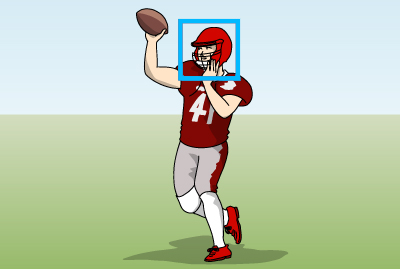
Keep the quarterback holding the ball in the angle of view and use Servo AF or begin continuous shooting while using Servo AF.
This allows action priority to move the AF frame to the quarterback the moment they throw the ball so you can and focus on them and shoot.
Also, if you keep players that could catch the pass in the angle of view and use Servo AF or begin continuous shooting while using Servo AF, action priority will move the AF frame to the player who catches the ball the moment the pass is caught so you can focus on them and shoot.
* It is best to begin Servo AF when the player starts to get ready for the catch.
If the quarterback throwing the pass and the player catching it are in the same angle of view, action priority will move the AF frame to the quarterback the moment the ball is thrown. If you use Servo AF or maintain continuous shooting while using Servo AF at that time, the AF frame will move to the player who catches the ball the moment it is caught.
In scenes with a series of actions, each time a player performs an action, the AF frame will switch to that particular player.
* You can select from Flexible Zone AF or Whole area AF settings.
Recommended camera settings ②
| Function | Setting details |
|---|---|
| AF area | Flexible Zone AF |
| Whole area tracking Servo AF |
Off |
| Action priority | Enable |
Hints on use
Compared to when [Whole area tracking during Servo AF] is set to [On], the area where action priority allows the AF frame to switch is limited according to what you want to shoot, so it allows shooting that is more closely in line with your intentions for the AF frame and subject.
On the other hand, selecting Flexible Zone AF makes it easier to keep the subject in the AF area compared to scenes that are difficult with 1-point AF, such as where the subject moves around significantly, and when the main subject moves fluidly while passing. Action priority allows the camera to select the subject performing the action as the main subject even when there are multiple subjects in the AF area. Also, using it in combination with eye detection allows you to focus on the subject's eyes as long as their face is in the AF area.
Usage examples
Usage example ⑨ Soccer (football) goal scene ②: Both the player making the shot and the goalkeeper trying to stop the shot are in the frame at the same time
When both the player making the shot and the goalkeeper shown on the screen at the same time, the AF frame may move from the kicker to the goalkeeper in the mode that moves the AF frame across the screen.
If this happens and you want to keep the AF frame on the kicker, set this setting and ensure that only the player making the shot is in the AF area to prevent the AF frame from switching to the goalkeeper.
Usage example ⑩ Volleyball spike scene: Sequential action from tossing to spiking
When both player making the toss and the player spiking the ball are in the frame at the same time, the AF frame may switch to the player making the toss depending on the conspicuousness of each player's action.
If this happens and you want to keep the AF frame on the player spiking the ball, you can select only the players who will be spiking as the main subject by shooting without including the players who will be tossing in the AF area after setting this setting.
Usage example ⑪ American football pass play scene: The quarterback passes the ball which is caught by another player
When using recommended camera setting ①, if there is another player near the player kicking the ball in kicking scenes such as the kickoff, action priority may move the AF frame from the kicker to the nearby player in the frame.
If you want AF to keep tracking the kicker in this type of scene, set [Whole area tracking during Servo AF] to [Disable] and ensure that only the kicker is in the AF area to prevent the AF frame from switching to another player.