
Remote Head Presets
You can record the current position of the remote head. After recording the position information, tap that button to move the remote head to the recorded position.
-
Turn on [Edit].
-
Tap [SET] for the number that you wish to register.
-
Set the position on the displayed [Edit Preset] screen.
- You can select this application ([App]) or the remote head ([Head]) as the preset recorded position.
-
Tap [Register] to close the [Edit Preset] screen.
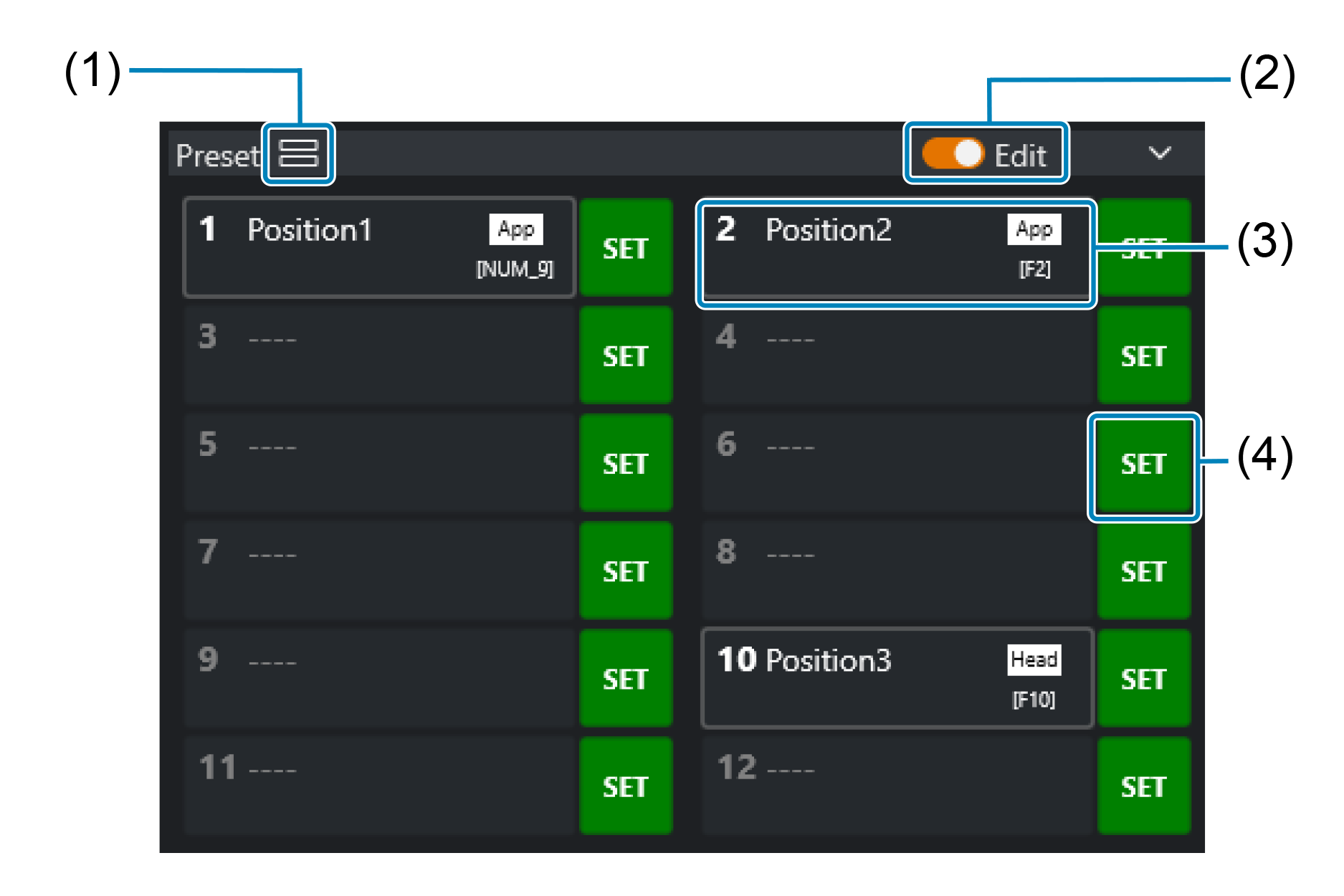
- (1) Switches the display of the preset buttons.
- (2) Turns Edit on or off.
- (3) Shows names configured on the [Edit Preset] screen after presets have been registered.
- (4) Display the [Edit Preset] screen.