
Бърз контрол
Можете директно и интуитивно да избирате и задавате показаните настройки.
-
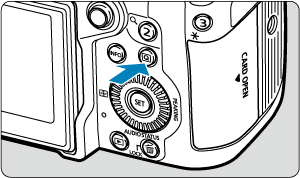
Натиснете бутона
 (при снимане:
  ).
).
- Показва се екранът „Бърз контрол“.
-
Изберете настройка и задайте предпочитаната от вас опция.
Запис на видео
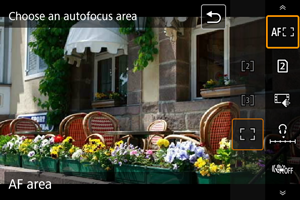
Заснемане на цифрова снимка
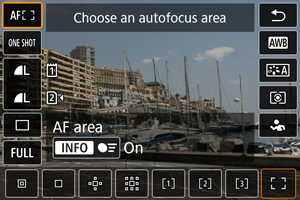
Възпроизвеждане
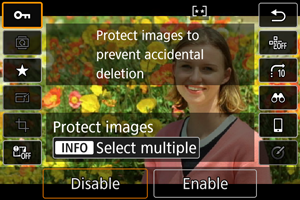
- За инструкции за работа с екрана за бърз контрол вижте Използване на екрана за бърз контрол. За подробности относно операциите по време на заснемане на снимки вижте екрана [
 ].
].
- За инструкции за работа с екрана за бърз контрол вижте Използване на екрана за бърз контрол. За подробности относно операциите по време на заснемане на снимки вижте екрана [
Забележка
-
За да изберете елементи в следващия екран, натиснете
 вертикално или хоризонтално. След това, за да зададете настройка, завъртете селектора
  ,
,  или
или  . Някои от настройките се задават чрез последващо натискане на бутон.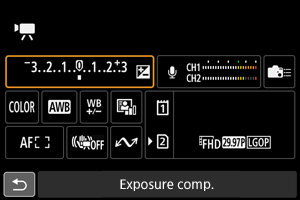
- Можете да промените изгледа на екрана за бърз контрол, използван в режимите на запис на видео, чрез [
 : Quick Ctrl screen/: Екран за бърз контрол] (). Всяко натискане на бутона превключва изгледа, ако сте избрали няколко изгледа.
Използване на екрана за бърз контрол
Екран [ ]
]
-
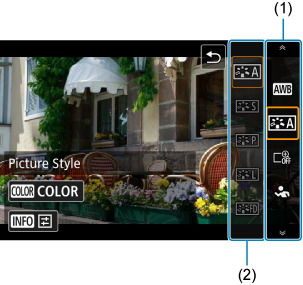
Изберете елемент, който да конфигурирате.
- Завъртете селектора , за да изберете елемент (1), и след това натиснете
 .
.
- Завъртете селектора
-
Променете настройката според своите желания.
-
Завъртете селектора
, за да превключите към други опции (2).Някои от настройките се задават чрез последващо натискане на бутон.
-
Забележка
- Можете също да изберете елементи за настройване (1) чрез натискане на или
 нагоре или надолу.
 - Можете също да изберете опции (2) чрез завъртане на селектора или или чрез натискане на или нагоре или надолу.
- Можете да превключвате между (1) и (2), като натиснете или наляво или надясно.
- По време на поточно предаване чрез функцията [
 :
:  USB (UVC/UAC) streaming/: USB (UVC/UAC) поточно предаване] използвайте операции с докосване в този екран.
Екран [ ]
]
-
Изберете елемент, който да конфигурирате.
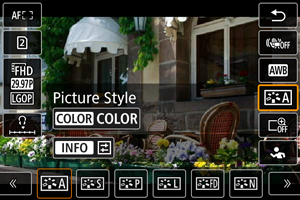
- Завъртете селектора , за да изберете елемент.
- Можете също да изберете елементи за настройване чрез натискане на или нагоре или надолу.
- Завъртете селектора
-
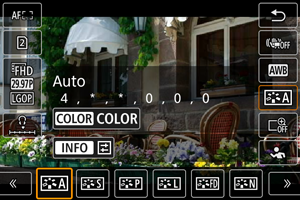
Променете настройката според своите желания.
-
Завъртете селектора
или , за да превключите към други опции.Някои от настройките се задават чрез последващо натискане на бутон.
- Можете също да превключвате опциите, като натиснете или наляво или надясно.
-
 Quick Control customization
Екран [ ]
]
-
Превключвайте страниците, ако е необходимо.
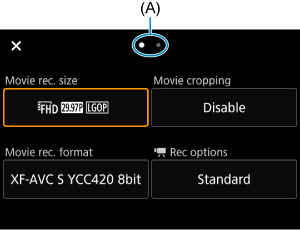
- Завъртете селектора или , за да превключите страниците.
- Можете също да превключвате страниците, като докоснете (A) или плъзнете наляво или надясно с пръст.
- Завъртете селектора
Изберете елемент.
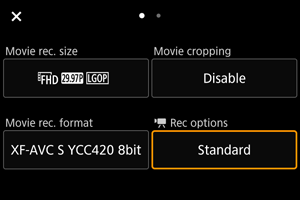
- Завъртете селектора , за да изберете елемент, и след това натиснете .
- Можете също да изберете елементи за настройване чрез натискане на или вертикално или хоризонтално.
- Завъртете селектора
Изберете опция.
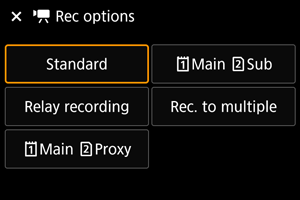
- Завъртете селектора , за да изберете опция.
- Можете също да изберете опции чрез завъртане на селектора или или чрез натискане на или вертикално или хоризонтално.
Екран с подробни настройки
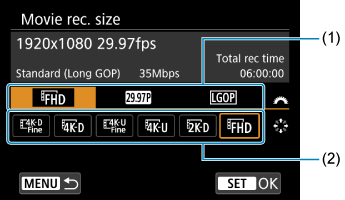
- Завъртете селектора , за да изберете панел (1).
- Използвайте , за да промените настройката (2).
- Натиснете , за да потвърдите избора и да се върнете към екрана на стъпка 2.
- Завъртете селектора
Задайте опция.
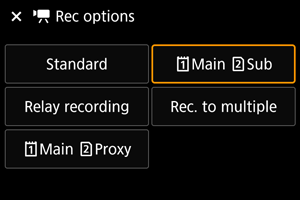
- Натиснете , за да зададете.
- Натиснете
Затворете екрана за настройване.
- Натиснете бутона , за да се върнете към готовност за снимане.
- Натиснете бутона