
شاشة التسجيل المكبرة
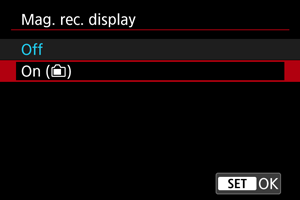
يتوفر العرض المكبَّر أثناء تسجيل الأفلام، ما يتيح لك التحقق من بؤرة التركيز أو التفاصيل الأخرى. ولا يؤثر تكبير العرض في الأفلام المسجَّلة أو إخراج فيديو HDMI.
-
اضبط على [تشغيل (
 )].
)].
-
قم بتكبير الصورة.
- انقر فوق [
 ] في شاشة التصوير، أو اضغط على الزر .
 - في كل مرة تنقر فيها على [
 ] أو تضغط على الزر المخصص لوضع [تبديل تكبير عرض التسجيل]، تتغير نسبة التكبير من مرتين (×) إلى ٥ مرات (×) إلى ١٠ مرات (×).
 - يتم توسيط الموضع المُكبَّر في إطار التوجيه المستخدم لنقاط AF أو اكتشاف الوجه، وبخلاف ذلك، يُستخدم الموضع المُكبَّر سابقًا.
- انقر فوق [
-
قم بتغيير الموضع المكبر.
- استخدم
 لتحريك المنطقة المكبَّرة حسب الحاجة.
 - لتوسيط المنطقة المكبرة، اضغط على مباشرة.
- للعودة إلى الحجم الفعلي، انقر فوق [
 ] أو اضغط على الزر .
- استخدم
تنبيه
-
لا تتوفر هذه الميزة أو تصبح محدودة في المواقف التالية.
- ضبط تسجيل الفيلم بدقة 4K بمعدل إطارات [
 ] أو بمعدل أعلى
 - ضبط تسجيل الفيلم بدقة 4K S&F بمعدل إطارات [
 ] أو بمعدل أعلى
 - تركيب عدسة VR
- ضبط [
 : Open Gate] على [تشغيل] وضبط [: صيغة تسجيل أفلام] على خيار بخلاف [RAW] (التقييد على التكبير بمقدار مرتين (×))
- ضبط تسجيل الفيلم بدقة 4K بمعدل إطارات [
- لا تظهر معلومات السطوع أثناء العرض المكبَّر حتى في حالة الضغط على الزر
 في شاشة التصوير.
 -
الاحتياطات عند ضبط [
: تكبير شاشة التسجيل] على [تشغيل ()] - يظل Movie Servo AF في المنطقة المحددة لضبط البؤرة تلقائيًا إذا كان قيد التشغيل بالفعل أثناء تفعيل العرض المكبَّر. وأيضًا، يمكن تكبير مناطق الصور التي تقع خارج منطقة ضبط البؤرة تلقائيًا.
- لا تظهر نقاط AF أثناء العرض المكبَّر.
- تكبير العرض أثناء الاستعداد لتسجيل الأفلام له نفس تأثير شاشة التسجيل المكبرة.
- يختلف التشغيل أثناء الاستعداد للتصوير عن العرض المُكبَّر العادي. للاطّلاع على التفاصيل حول التشغيل عند ضبط [: تكبير شاشة التسجيل] على [ايقاف]، راجع العرض المكبر.
- لا تتحرك سوى المنطقة المكبَّرة، وليس نقاط AF في حالة تنفيذ [إختيار نقطةAF مباشر] أو [ضبط نقطة AF إلى المنتصف] أثناء التكبير.
- لا يمكن التحكم في التكبير من تطبيق Camera Connect أو EOS Utility