
التعريض التلقائي للأفلام
يتم التحكم في التعرض الضوئي تلقائيًا ليناسب السطوع.
-
اضبط وضع التسجيل على [
 ].
].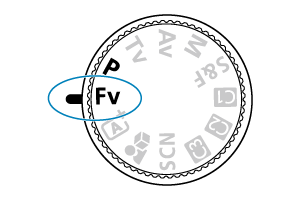
- أدِر قرص الأوضاع لتحديد الوضع Fv أو P.
-
اضبط البؤرة على الهدف.
-
سجّل الفيلم.
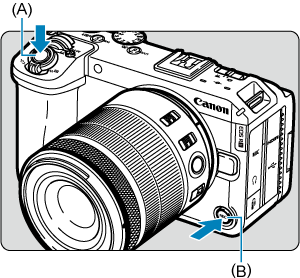
- اضغط على زر تصوير الفيلم (A أو B) لبدء التسجيل. كما يمكنك البدء في التسجيل بالنقر فوق [
 ] على الشاشة ().
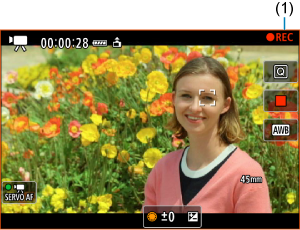
- أثناء تسجيل الفيلم، يتم عرض [
 REC] (١) ويتم تحديد الشاشة باللون الأحمر، ويضيء مصباح التسجيل.
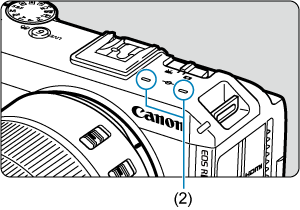
- ويُسجَّل الصوت باستخدام الميكروفون (٢).
- لإيقاف تسجيل الفيلم، اضغط على زر تصوير الفيلم مرة أخرى. يمكنك إيقاف تسجيل فيلم بالنقر على [
 ] على الشاشة.
- اضغط على زر تصوير الفيلم (A أو B) لبدء التسجيل. كما يمكنك البدء في التسجيل بالنقر فوق [
 :
: 