
فيلم لوضع التقريب
يتم إعطاء الأولوية للأهداف بالقرب من الكاميرا من أجل التركيز. ويعتبر ذلك مفيدًا في العروض ومراجعات المنتجات أو المواقف المشابهة.
اضبط السطوع أو الإعدادات الأخرى على شاشة التحكم السريع.
-
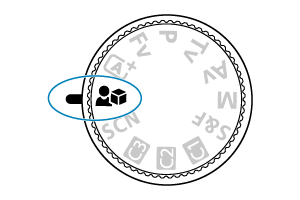
اضبط قرص الأوضاع على
 .
.
-
التركيز والتسجيل.
- تتم عملية التسجيل بالطريقة نفسها الموضحة في الخطوتين ٢ و٣ لوضع A+: التسجيل التلقائي بالكامل (منظر ذاتي ذكي).
تنبيه
- لا يتم عرض نقاط AF.
- لا يمكن تحديد الأهداف يدويًا.